How to Choose the Right Envelope Printer for Your Business
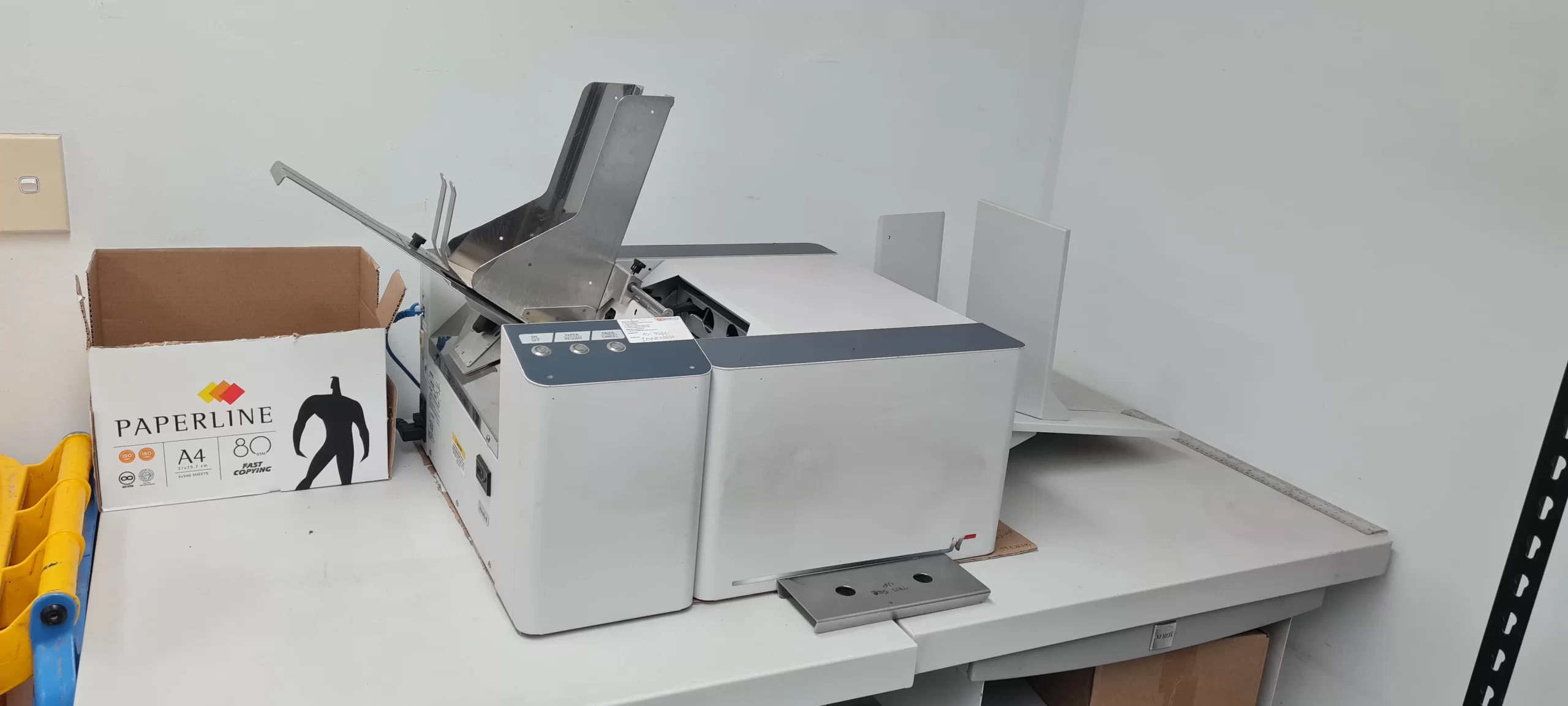
Choosing the right printer for envelopes can have a surprisingly large impact on a business’s daily workflow. A company that sends invoices, marketing letters, statements, invitations, or customer correspondence may print hundreds or thousands of envelopes every month. The wrong equipment can lead to smudged addresses, poor alignment, slow production, excessive ink costs, and unnecessary maintenance.
Before buying an envelope printer, it is worth looking beyond the advertised print speed or purchase price. The best choice depends on your envelope volume, required print quality, envelope sizes, workflow, and the type of printing you actually need. A small office producing a few dozen envelopes each week has very different requirements from a company processing several thousand pieces of mail every month.
Understand What You Need to Print
The first step is to define your actual envelope-printing requirements. Consider how many envelopes you print during an average week and whether that volume changes significantly during busy periods.
For example, a small accounting firm might print 100 to 300 envelopes per month, primarily for invoices and client correspondence. A direct-mail company, on the other hand, may need to process several thousand envelopes per day.
Your requirements should include:
- Average monthly envelope volume
- Largest expected print batch
- Envelope sizes and formats
- Color or black-and-white printing
- Address and variable-data printing
- Logo and branding requirements
- Required print quality
- Available office space
- Budget for equipment and supplies
Knowing these details prevents you from buying equipment that is either unnecessarily expensive or incapable of handling your workload.
Choose Between Inkjet and Laser Technology
Printer technology is another important consideration. Inkjet and laser printers can both handle envelope printing, but they have different strengths.
Inkjet Printers
Inkjet printers use liquid ink and are often a practical option when color quality matters. They can produce attractive logos, graphics, and promotional elements, making them useful for businesses that want envelopes to contribute to their visual branding.
They can also be relatively affordable to purchase. However, businesses with very high printing volumes should carefully calculate ink consumption and ongoing cartridge costs.
Laser Printers
Laser printers use toner rather than liquid ink. They are often well suited to offices that primarily print text, addresses, invoices, and other business documents.
They generally provide sharp text and can be efficient for regular high-volume office printing. However, not every laser printer is designed to feed envelopes reliably, so compatibility with the specific envelope stock is important.
Rather than assuming one technology is universally better, compare the total operating cost and expected workload.
Check Envelope Compatibility Carefully
One of the easiest mistakes is buying a printer without checking whether it supports the envelopes you actually use.
Envelopes come in many sizes, thicknesses, flap styles, and materials. Common business envelopes may be straightforward, while heavily textured, glossy, padded, or unusually thick envelopes can present feeding problems.
Check the printer’s specifications for supported:
- Envelope dimensions
- Paper weights
- Media thickness
- Envelope types
- Manual-feed options
- Input tray capacity
If your business uses several envelope sizes, look for equipment that allows flexible media handling.
For example, a real estate company may use standard business envelopes for routine correspondence but larger envelopes for property brochures. A printer that handles only one format could quickly become a bottleneck.
Evaluate Print Quality
Print quality matters more than many businesses expect. An envelope with an incorrectly printed address or blurry logo can make otherwise professional correspondence look careless.
Pay particular attention to text sharpness, small fonts, barcodes, logos, and fine graphics. If envelopes are being used for customer-facing communications, consistency is especially important.
Before committing to a printer, test it with the actual envelope stock you plan to use. A printer can perform well with standard paper but produce inconsistent results on envelopes because of their construction and surface.
A practical test should include several consecutive envelopes rather than a single sample. Look for alignment problems, smearing, feeding errors, and changes in print density.
Consider Print Speed and Workflow
Printer speed should be evaluated according to your real workflow rather than the maximum number advertised on a product specification sheet.
If employees regularly stop what they are doing to load envelopes, adjust settings, or clear jams, a printer with a high theoretical speed may not provide much practical benefit.
Think about the complete process:
- Prepare the mailing list.
- Load the appropriate envelopes.
- Configure the printer.
- Print the batch.
- Inspect the output.
- Remove and organize finished envelopes.
- Reload for another batch if necessary.
For larger operations, features such as larger input capacity, automatic feeding, and reliable batch processing can make a bigger difference than a modest increase in print speed.
Calculate the Total Cost of Ownership
Purchase price is only one part of the cost. A cheaper printer can become expensive if it consumes supplies quickly or requires frequent maintenance.
Calculate the approximate cost per envelope by considering:
- Printer purchase price
- Ink or toner consumption
- Replacement cartridges
- Maintenance
- Replacement parts
- Electricity
- Expected printer lifespan
- Wasted envelopes caused by failed prints
Suppose Printer A costs $300 and Printer B costs $600. If Printer A has significantly higher consumable costs and produces more misprints, the cheaper purchase price may not remain an advantage after a year of regular use.
For businesses with predictable printing volumes, estimating annual operating costs can make the comparison much clearer.
Consider Connectivity and Business Workflow
Modern offices rarely operate from a single computer. If several employees need to print envelopes, network connectivity can simplify the process.
Look for features such as Wi-Fi, Ethernet, mobile printing, and compatibility with the operating systems used by your team.
Software compatibility is equally important. If your business uses spreadsheet-based mailing lists, customer relationship management software, accounting applications, or mail-merge workflows, verify that the printer works smoothly with those processes.
For example, a company sending personalized invoices may need to print a different recipient address on every envelope. In that situation, reliable variable-data printing is more valuable than decorative printing features.
Common Mistakes to Avoid
One common mistake is choosing a printer solely because it has a low purchase price. Businesses often discover later that replacement cartridges, maintenance, or slow envelope handling make the equipment expensive to operate.
Another mistake is ignoring envelope specifications. Some printers may technically support envelopes but struggle with particular sizes or thicker materials.
It is also easy to underestimate future volume. If your company expects to expand its direct-mail campaigns, customer communications, or billing operation, buying equipment that barely handles today’s workload may create problems later.
Finally, do not skip real-world testing. Whenever possible, test the printer using your own envelopes, templates, and typical print batches before making a final decision.
Practical Tips for Choosing the Right Model
Start by recording your average monthly volume and your busiest printing period. Then identify every envelope size and material your business currently uses.
Next, shortlist printers that meet those requirements and compare their total operating costs rather than just their purchase prices.
Ask yourself a few practical questions:
- Can the printer handle my most frequently used envelope?
- Can it handle my busiest printing days?
- Is the print quality professional enough for customers?
- Are replacement supplies readily available?
- Can multiple employees use it?
- Does it fit into my existing workflow?
- What happens if printing volume doubles?
If possible, request a demonstration or print sample before purchasing. A short test can reveal feeding and alignment problems that specifications alone will not show.
Conclusion
Choosing the right envelope printer is ultimately a matter of matching equipment to your business workflow. Start with your printing volume, envelope specifications, quality requirements, and operating budget. Then compare printer technology, speed, connectivity, reliability, and long-term supply costs.
The best printer is not necessarily the fastest or cheapest model. It is the one that consistently handles your actual envelopes, produces professional results, and keeps the printing process efficient as your business grows. A little research and real-world testing before purchase can prevent costly equipment problems later.

You may also like
TwoJeys Clothing Brings Streetwear and Jewelry Together

Common Projects Sneakers: A New Standard for Clean Footwear